
A common conversation I seem to find myself in is one where either I or the person I am talking to complain about the following:
- Lack of time to do fulfilling things like reading, exercising, crafting, or spending time with friends/family, etc.
- Having late nights and early mornings in a desperate attempt to regain me-time which ultimately results in exhaustion and illness
- Working late/taking work home/working through unpaid lunch breaks to finish tasks
- A general sense of discontentment with life and a perceived inability to create change
That last one is a bit dark, I know, but it seems to be the consensus and the consequences of our participation in a rat race that wasn’t designed to be sustainable.
Unfortunately, for most people, managing time doesn’t get any easier. In fact, the more time passes, the more responsibility falls upon us, and our time and attention are pulled in multiple directions. I could go as far as saying that technological advancements like smart phones and easy access to time-suckers like social media make it even harder to feel fulfilled, which, while true and worth considering as you read through this article, is a conversation for another day.
For now, let’s look at how you can use your planner to increase your overall productivity and get your personal time back.
Have a ‘Master Planner’ and work off that.
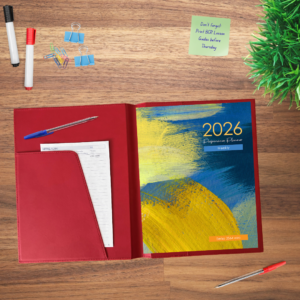
First, decide if a weekly or a daily planner suits you best. Try to find a planner that includes monthly at-a-glance planners or use a calendar, an at-a-view monthly planner, wall chart planner, or digital planner such as Outlook or Google Calendar to easily view your month at-a-glance.
Keep the planner in a place where you are most likely to reach for it. For teachers, bring it with you to every class and meeting. In the book ‘Atomic Habits’, keeping things visible is a key strategy for the first law of habit formation, ‘Make it Obvious’. Designing your environment in a way that good habits (like your planner) are easy to see and remember, and bad habits (like your phone) are hidden and difficult to access.
Translate relevant tasks from the master planner into smaller, portable planners such as digital alternatives for quick reference, but note that relying on simple digital planners will not have the same effect on your productivity, your memory/recollection or creating better time management/planning habits.
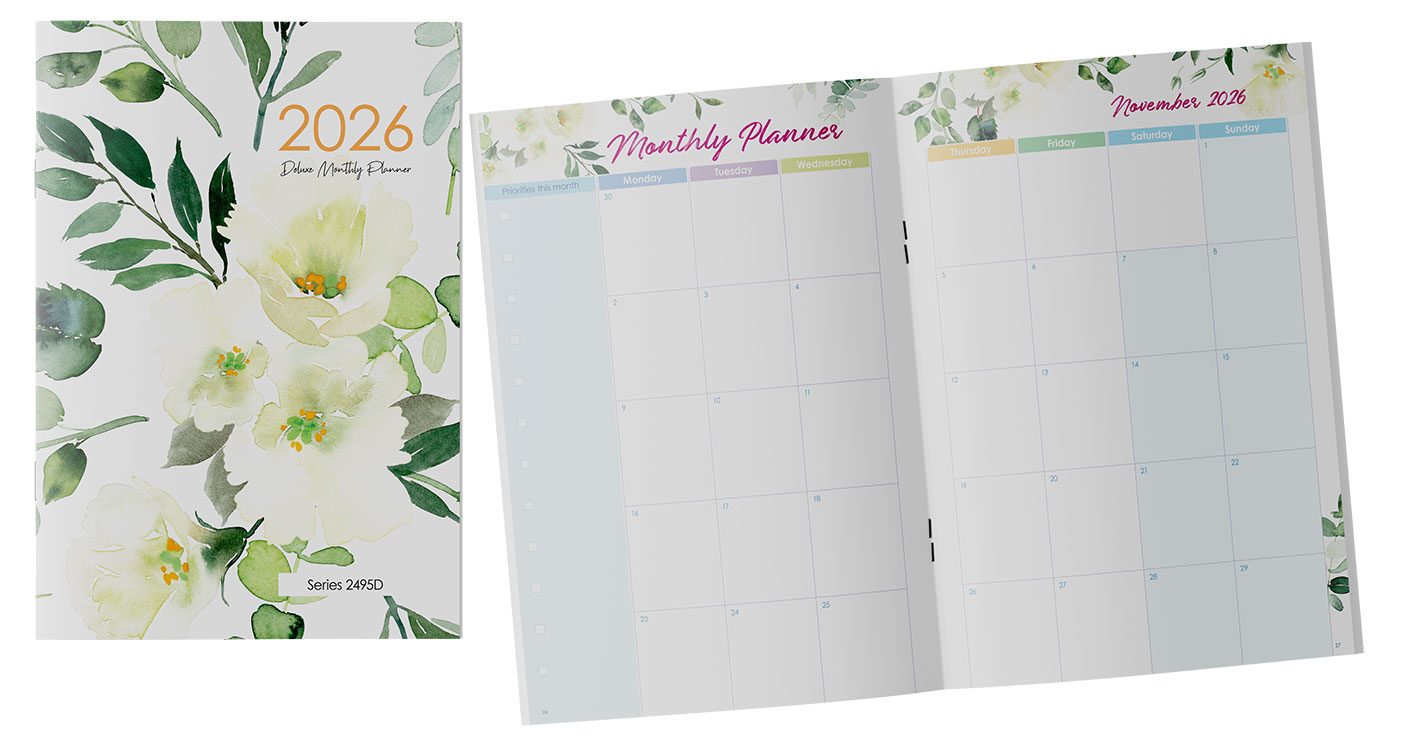
Create a key with a colour code system
The simplest approach is to write everything in one colour then use highlighters to colour code/draw attention to tasks. Erasable pens are great for this.
Your system could be that each colour represents a different subject/task type or each colour could represent the different type/duration/priority of tasks.
Personally, I do things a bit differently. I sometimes find that I get overwhelmed when my to-do list is long (which it always is).
I use colour and highlighters to break the list down. I simply highlight each individual task in different colours so when I look at my planner at a glance, I can easily see the breakdown of the tasks. If something is high priority, I will use a completely different colour that is not in my usual colour palette so that it stands out.
It is worth having some patience and trialling different colour coding systems until you find one that works the best for you. After all, everyone is different.
Practise time blocking until it becomes second nature
I’m sure many of you have heard of time blocking, but here’s a quick explanation of what it is and how you can properly implement it so that it works for you.
Time blocking is a method of scheduling your day and blocking out time for particular tasks, events, or meetings.
If you’re anything like me, multitasking is something that can come naturally but can also negatively affect my productivity. Time blocking is a great way to ensure that you finish what you start without distraction.
It is particularly great for people with ADHD and autism as it provides structure that combats executive dysfunction and can reduce over-commitment and the underestimation of the time needed to complete a task.
Plus, just committing to a time block can be enough motivation to start and end a group of tasks within the blocked time, allowing you to complete your tasks on time so you can get your personal time back.
Time Blocking can
- Reduce decision-fatigue and overwhelm caused by a long to-do list.
Time blocking requires you to take a strategic approach to your tasks by allocating time and setting a chronological order for you to tackle them. This means that you don’t have to decide what to do next because the schedule dictates the next action.
- Provide a visual structure to your day.
This method turns the abstract concept of time into a visual schedule, which makes it easier to understand how you will spend your day.
- Create boundaries.
This is an important one. Your time is precious, and time blocking not only helps you to know when to start and stop a task (making it easier to actually begin and end them with little procrastination) but it also allows you to draw a line with others and their distractions, allowing you to return your focus to your commitments.
- Build momentum.
The structure that time blocking can give will help to build momentum. Even if you have to deviate from a block, the schedule provides guidance when things settle down.
How Time Blocking Works:
- By visually scheduling time blocks on your calendar, you can ensure that you complete or chip away at tasks uninterrupted and within your deadlines.
- It allows you to group similar tasks into one concentrated block of time. This enhances concentration and increases the standard of your work.
Sure, it’s easy to laugh when you see someone’s calendar include bathroom breaks, but it’s highly likely that they get everything done when they need to.
As Mozart once said… “The shorter way to do many things is to do only one thing at a time.”
For teachers, time blocking and class schedules are a normal part of your day, but taking the time to schedule your time out of the classroom will be the most beneficial and effective way to use your allocated planning and class preparation time. This means that you might not need to laminate activities at 10pm or get to school before 8am to print worksheets.
Here is a great video explanation of how to time block.
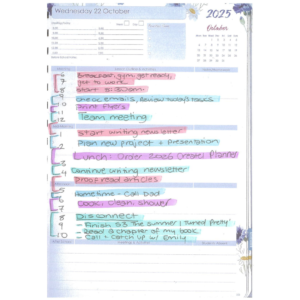
Task Batching/Day Theming/Time Boxing
Should you decide that time blocking is the right thing for you, then you’ll want to know about the following:
- Task batching
- Day theming
- Time boxing
Task batching is exactly as it sounds – grouping similar tasks together so you can complete or work on them in the same frame of mind.
Day theming is useful for tasks that share a similar theme. It’s like an extended version of task batching. For example, if you are a high school educator who teaches multiple subjects, you might want to spend one day’s worth of planning on just one subject. Then, on the next day, use your planning time on another subject. It all comes back to keeping your mind focused on a particular theme so that you do not become confused or overwhelmed.
Time boxing is a good one but can be tricky to master. Instead of blocking time for batched tasks like you would with time blocking, time boxing is when you allocate a specific amount of time to complete individual tasks.
So…
If you are time blocking meetings, it would look like having 8am-8:45am dedicated to ‘meet with parents’ (general).
Time boxing on the other hand would look like having 8am-8:10am dedicated to meeting Jo’s parents. Then 8:10am – 8:20am scheduled for Mary’s parents, and so on.
Time boxing can be great if you need to complete work with pre-set deadlines, if you struggle with perfectionism, or just generally want to be held accountable to your commitments.
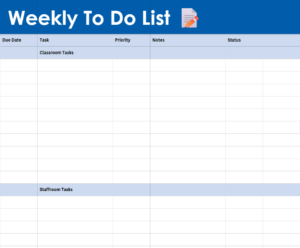
Write out an overall, weekly ‘to-do table’ to use alongside your planner and categorise tasks by level of priority.
This was a game changer for me. This allowed me to look at my tasks in further detail and gave me the opportunity to see my tasks, due dates, and notes in the same place, while being able to update the same document every week and track progress.
It is particularly helpful in meetings, where I can easily identify my tasks and recall any information related to them.
Seeing as this has significantly increased my productivity, I have created a FREE digital and printable Weekly To-Do List that you can use.
Click here for the web version.
Click here for the printable version.
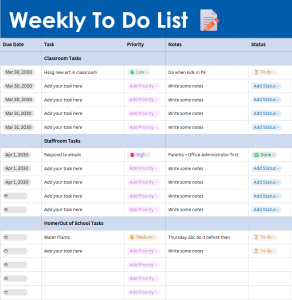
If you have chosen a weekly master planner, then you won’t need the weekly to-do list, but you can incorporate the layout into your planner by hand.
Regardless of the style of planner you choose, one fantastic way to break your tasks down is by categorising your tasks as follows:
- Quick Tasks (5 minutes or less)
- Shallow Work (5-30 minutes)
- Deep Work (30 minutes plus)
- Crucial Tasks (Must be completed today)
This works for both daily and weekly master planners and will help you to time block should you decide to do that, too. I always allocate a time frame category to my tasks and if it is a Crucial Task, I highlight it in a particularly bright colour.
Identify and schedule time for Reactive vs Proactive Work
In an ideal world, all our work would be proactive. This means that we lead the direction, timing, and volume of work assigned to us. While this is sometimes the case, in jobs or responsibilities such as teaching, sales, or even parenting, most of our work is reactive, meaning that we must respond to tasks immediately, as they arise.
For teachers, you can allocate and identify your class/teaching time as ‘reactive work’, but the time you spend out of the classroom, such as during your breaks, before and after school, and in free periods would really benefit from approaching that time as ‘proactive’.
This means that you can set boundaries with yourself and others, allowing you to focus on what you need to get done before you go back to your reactive work blocks.
Use the Pomodoro Technique

This is another game changer that has genuinely helped me to beat procrastination, focus on my tasks, and regroup during busy times.
Pomodoro (Italian for ‘tomato), reframes your approach to tasks and time by making you think in tomatoes. Strange, I know, but stay with me.
Instead of thinking in hours, you break up and alternate your time in ‘pomodori’. The timer includes short but frequent breaks that promote long-term concentration and protect you from mental fatigue.
It is a great tool if you are like me and struggle to find a balance in your work, so you either procrastinate or lock right in and work way past the point of optimal productivity.
The Pomorodo Technique/timer is also helpful if you have big projects with an extended deadline, as you can tell yourself you will dedicate two pomodori (50 minutes) a day to the task until it is completed. Saying ‘I’ll write for two pomodori today’ sounds a lot more achievable and motivational than saying ‘I’ll write for 50 minutes today.’ Sometimes, you have to trick your brain into doing the work.
Plus, the countdown to your short break makes you feel like you are being rewarded for your work, resulting in feeling more fulfilled and proud of your work.
Schedule in ‘Disconnect Time’
Now, it makes sense that increasing your productivity during work hours would result in getting your personal time back but scheduling in ‘disconnect time’ and intentionally claiming your time is incredibly important, too.
That’s not to say that it is easy, but you should be able to create boundaries when it comes to your personal time the same way you would with your work time.
You can do this by blocking time for cooking or meal preparation, recreational activities, hobbies, and even relaxing or winding down in the evening.
This will help overcome the feeling of ‘revenge bedtime procrastination’, which is intentionally staying up late to have some time for yourself, even though you know it will negatively affect your sleep.
Do note that scheduling in disconnect time shouldn’t put a time pressure on the things you enjoy.
Instead, you should approach it as making time for the things you love or making time to achieve your personal goals.
If you approach this type of scheduling too rigorously, it may actually take the enjoyment out of them, so be mindful. I would recommend time blocking here, rather than time boxing.
Take notes/write everything down and allocate time to collate the notes in an understandable, accessible place
So that you can spend less time wondering whether you are doing tasks correctly, the best thing to do is take notes about any and all information given to you at the time the task is allocated to you.
Take a minute at the beginning of each task to write down as much as you can. A good place to start is by answering the 5 W’s and the H (who, what, when, where, why, and how?).
This will prompt you to conduct any research needed, ask questions, or plan your approach to the task, helping you beat procrastination and tackle your tasks head on.
I like to then collate these notes in my weekly to-do planner so I can refer to the task, due date, and notes all in one place.
Add inspiration to your planner so that you are motivated to look at it and interact with it every day

If you’re creative or a sucker for stationery, this is the fun part!
Adding things to your planner that excite and inspire will not only motivate you to look at it, but it will motivate you to want to physically tick things off, and will even help you to develop an appreciation for the planner itself.
You can do this by first choosing a planner and cover that you love, then by using your colour coding system that we talked about, decorating with stickers, washi tape, coloured pens… whatever excites you!
Time is perhaps the most valuable asset we have. It is important that we are protective of our time and spend it wisely.
Hopefully, these tips will help you to reclaim your time and lead you to a fulfilling and successful life.
Other references:
https://www.todoist.com/productivity-methods/time-blocking
https://breaktheframe.com/how-to-planner-effectively/